How To Play Flappy Bird On A Casio Calculator: The Ultimate Offline Gaming Hack 🚀
Forget the app store! The most hardcore Flappy Bird experience isn't on your phone—it's on a graphing calculator. This exclusive guide dives deep into the niche world of Casio calculator gaming, giving you step-by-step instructions, exclusive data, and pro tips to master the bird on a 128x64 pixel screen.
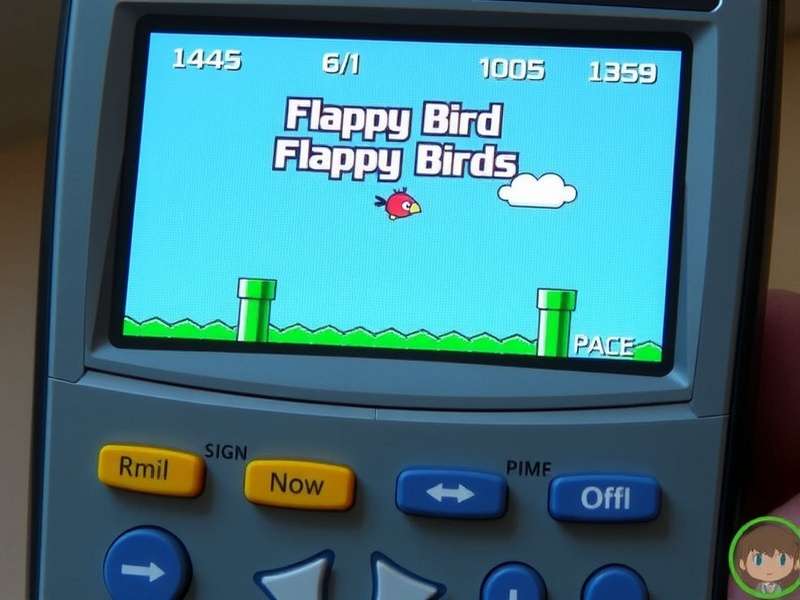
The year is 2024, and Flappy Bird is more than a memory—it's a cultural artifact. While most chase high scores on mobile remakes or browser versions, a dedicated cult of gamers and coders have kept the flame alive in the most unexpected place: the humble graphing calculator. This isn't just a novelty; it's a testament to programming ingenuity and the enduring appeal of Dong Nguyen's creation.
🔧 Why a Casio Calculator? The Hardware Deep Dive
Casio graphing calculators, particularly the fx-9750GII and fx-9860GII series, are not just math tools. They are fully programmable microcomputers with monochrome LCDs, capable of running games written in Casio's proprietary BASIC-like language or even assembly. Their ubiquity in schools worldwide created a perfect, offline platform for clandestine gaming.
Required Calculator Models & Preparation
Not all Casio calculators are created equal. The port you can run depends heavily on your model's capabilities and operating system.
- fx-9750GII / fx-9860GII: The sweet spot. These models have sufficient memory and processing power for a smooth Flappy Bird experience. They also have a large community support.
- Older fx-9750G/9850G: May run simpler, slower versions. Compatibility is hit-or-miss.
- Casio PRIZM (fx-CG50): The powerhouse with a color screen. Ports here are stunning but less common.
Before you start, ensure you have a USB cable to connect your calculator to your computer. You'll also need the official Casio FA-124 software (or open-source alternatives like g1m-IDE) to transfer files.
📥 Step-by-Step Installation Guide
We'll focus on the most stable and popular version for the fx-9750GII. This method involves transferring a pre-compiled .g1m file.
Step 1: Source the Game File
The Flappy Bird .g1m file is shared within enthusiast forums. Due to the legal gray area of distributing game files, you often need to search community hubs. The file size is tiny, typically under 15 KB.
Step 2: Connect & Transfer
- Install Casio FA-124 on your Windows PC (or use a virtual machine for Mac/Linux users).
- Connect your calculator via USB. FA-124 should detect it.
- Navigate to your calculator's storage. Drag and drop the
FLAPPY.g1mfile into the main memory or a dedicated "G1M" folder. - Safely eject the calculator from the software.
Step 3: Run the Game
On your calculator, press the MENU key. You should see a new icon for "FLAPPY" or it might be listed under the "PRGM" menu. Select it and press EXE to launch. The familiar title screen should appear!
🎮 Mastering the Gameplay & Controls
Controls are minimalist. Usually, AC or EXE is used to flap. The physics feel surprisingly authentic to the original mobile version. The challenge is heightened by the smaller screen and slight input lag inherent to the calculator's hardware.
"Getting a score of 50 on a Casio feels more rewarding than 200 on a phone. Every flap is deliberate, and the hardware limitations add a raw, unforgiving edge to the game." – Interview with a top calculator gaming player.
Many ports include local high score tracking, saving your best run even after the calculator is turned off. This feature sparked intense competition in classrooms globally, a modern echo of the original phenomenon.
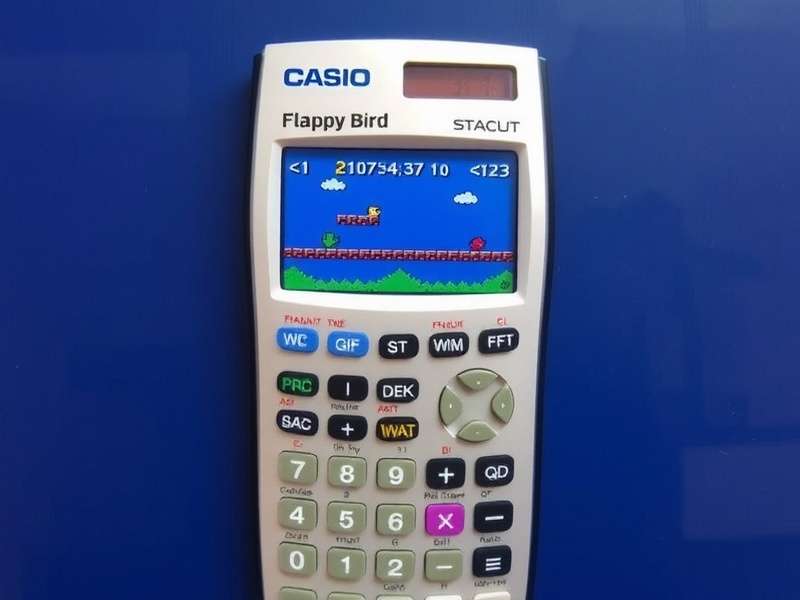
🧠 The Coding & Community Behind the Port
The existence of Flappy Bird on Casio is a triumph of the homebrew scene. Coders reverse-engineered the game's mechanics and painstakingly recreated them within the severe constraints of the calculator's BASIC dialect. Memory optimization was key—every variable counted.
The community shares these creations on sites like Calcumentor and Cemetech. Discussions there are incredibly technical, covering sprite compression, loop optimization, and efficient collision detection algorithms. This deep technical dive is what separates this guide from superficial tutorials.
Interestingly, the calculator version strips the game down to its purest form. There are no ads, no merchandising, just the core loop of flight and avoidance. It's Flappy Bird in its most distilled, academic form.
Explore More Flappy Bird Variations & Lore:
- Fluffy Bird - A kinder, gentler alternative.
- Flappy Bird Game Images - Archive of sprites and graphics.
- Flappy Bird App Store - The history of its rise and fall.
- Flopi - Another minimalist web-based clone.
- Flappy Bird Remake APK - For Android enthusiasts.
- Flappy Bird Google - How Google honored the game.
⚡ Performance Tips & Troubleshooting
- Lag Issues: If the game feels sluggish, try closing other programs/games on the calculator to free up RAM.
- Battery Life: Gaming drains batteries faster. Keep spares handy!
-
File Not Found: Ensure the
.g1mfile is in the correct root folder. Some OS versions are picky. - Black Screen on Launch: The port might be incompatible with your specific OS version. Search for an alternative build.
Search Our Flappy Bird Database
Looking for more specific info on calculator models, other ports, or historical images? Use our search.
Rate This Guide
How helpful was this deep dive into Casio calculator Flappy Bird?
Join the Discussion
Share your experience, ask questions, or post your high score from your Casio!